The world is flat and language is not a barrier! On the other hand, how great is it that we, as librarians, can research a topic in our native language in newspapers or the web in foreign countries and then, once discovered, can print or send a link to the untranslated version, as written, to our foreign language teachers. They will think we are geniuses! Unless, as I plan to tomorrow, we tell them about this great trick!!
This video describes how to search the foreign web in a fully translated format. Yowza!
Disclaimer: Again, I post this video only with hopes that Google will allow me to display for my own use and yours despite the fact that it was created for a registered user only online course. My apologies if at any point in the future this video becomes unavailable.
Showing posts with label Google. Show all posts
Showing posts with label Google. Show all posts
Monday, October 8, 2012

Google Timeline gone, but not forgotten
I am loving the "Power Searching with Google" class. I have been sad for a long time that Google eliminated the timeline feature. I would have students use this to isolate periods of change or conversation regarding the issues they were researching. It was very helpful for this purpose and to quickly identify the key thoughts at certain times in history. While Google Timeline has not been replaced, this video demonstrates how to manually create the same results. The problem, of course, is that most students don't know what time periods to search but, at least with this tool, once they can figure that out, they still have a way to search within the chosen time period.
Disclaimer: Again, I post this video only with hopes that Google will allow me to display for my own use and yours despite the fact that it was created for a registered user only online course. My apologies if at any point in the future this video becomes unavailable.
Disclaimer: Again, I post this video only with hopes that Google will allow me to display for my own use and yours despite the fact that it was created for a registered user only online course. My apologies if at any point in the future this video becomes unavailable.
Tuesday, September 25, 2012
How Google Works!
So . . . I'm taking the Power Searching with Google certificate course. Hoping to learn a few tricks and really hoping to pick up a better vocabulary and teaching method to describe the tricks I already know and use. Right out of the shoot, in lesson one, I am very excited about the video by Matt Cutts, engineer in the quality group at Google, who describes how spiders and page ranking lead to the results we see.
It is an "unlisted video" on YouTube, and as such, am not sure if they will let me re-post, but until they tell me I can't, hope it will stay here for my future reference as a teacher and dedicated Google searcher. I hope it is helpful to others as well!
It is an "unlisted video" on YouTube, and as such, am not sure if they will let me re-post, but until they tell me I can't, hope it will stay here for my future reference as a teacher and dedicated Google searcher. I hope it is helpful to others as well!
Monday, October 31, 2011
Halloween Collaboration
Love Prezi almost as much as Google Docs. Groups can collaborate in real time to create presentations that pack a punch! Check it out. (Quick text version available here.)
Check out collaboration in action -- Google Style. Not sure what the true spirit of Halloween is but these folks sure look like they had fun and demonstrate a collaborative spirit we can all aspire to.
Check out collaboration in action -- Google Style. Not sure what the true spirit of Halloween is but these folks sure look like they had fun and demonstrate a collaborative spirit we can all aspire to.
Thursday, March 10, 2011
Copyright is more than a concept
Reading from the Travelin' Librarian's Blog, came across a post reiterating our trite disclaimer about using copyrighted material but with an added twist. He quoted, as I also do below, from an Associated Press article posted on the KTVN Channel 2 Website:
Associated Press - February 15, 2011 7:05 PM ET
DENVER (AP) - A law firm that targets the unauthorized use of news content on the Internet has filed 32 lawsuits in federal court in Colorado seeking to stop the use of a Denver Post photograph showing an airport pat-down. . . .
Righthaven has been criticized by some for suing first, rather than asking bloggers or operators of websites to remove copyrighted content. . . . CEO Steve Gibson defended the strategy Tuesday, saying many people wrongfully assume that if something is posted on the Internet, it's in the public domain and can be used for free. . . .In a notice to readers published Nov. 14, the Post said it would use all legal remedies to address copyright infringement. . . .1 [sic] of those sued by Righthaven is Brian Hill, 20, of Mayodan, N.C. Hill said he found the Post picture on Google Images and posted it on his news and politics website, not knowing it was copyrighted.
Hill said an attorney from Righthaven called him Feb. 10 and said he could be liable for up to $150,000 in damages . . . . [apparently a settlement offer for $6000 is a possibility]
This, my friends, is why I try to teach our students about copyright law when we create multimedia content. Perhaps, as students they will not become the target of a lawsuit like the one described above but how many of our students might build their own businesses or work in small companies where they find themselves as Webmasters, public relations or news providers, marketing agents or social media liasons.
In education, with liberal interpretations of fair use, we feel protected but as we send our students out into a digital world, unless or until our national copyright laws are re-written, they will be held accountable by firms like Righthaven. Could you afford to pay $6000 (settlement offer) for every copyrighted image you ever used without permission? (I am sure I could not but do my best to use Creative Commons images and give credit whenever possible.)
Travelin' Librarian also identified an image search engine I had not seen before. Compfight searches Flickr and with one click on the primary search page, can limit search to Creative Commons images. In a couple quick tests, I did find images through Compfight that Google did not provide and so will definitely add it to my toolbox, but using Google's "advanced image search" and choosing "labeled for re-use" still seems to provide a broader selection of images.
NOTE: Remind students that searching creative commons does NOT assure that images are available without limitation. A copyrighted photo saved by another user to a Creative Commons license is still copyrighted. Multiple wrongs do not make a right.
Sunday, March 6, 2011
Google in the kitchen
Sunday afternoon, sitting at home and looking for recipes and what did I find? Google has made it easier than ever before to find exactly the recipe you are looking for. Search recipes by ingredients, cooking time & calories.


Not only did this help me find exactly the recipe I was looking for more quickly than I ever could have on any of the recipe database sites, but now I have a new tool to share with our cooking classes. Bon appetite . . .
Check out the Google Blog introduction to this new tool "Slice and dice your recipe search results," posted on February 24."
Thursday, October 7, 2010
Google improvements
I logged on to write that Google is now advertising "real-time collaboration" in Google Docs! WooHoo! I was disappointed to see the Google Wave experiment disbanded,, not because I liked the Wave, but because it did allow real-time collaboration that Docs did not. And now! Google to the rescue. They poured the Wave technology back into Docs to make it better than before!
So my next dilemma, why can't I get teachers or our computer services department as excited about these tools for students and especially for group projects? Well check out the white horse that rode into town on my Google Reader yesterday.
Is Google taking over the world? Should we be scared? Well these are questions for a different day, but for now, I see it as important that we teach users how to harness the power of the available tools as a step toward continued advancement and understanding of the digital world and how we can use it to learn and improve ourselves and our real world situation.
So my next dilemma, why can't I get teachers or our computer services department as excited about these tools for students and especially for group projects? Well check out the white horse that rode into town on my Google Reader yesterday.
Google Apps Now In A New York State Of Mind
Washington Post - Oct 5, 2010
This deal will give 3.1 million students access to Google Apps for Education?including Gmail, Docs, Sites and Calendar.
Google Apps Now Available in New York Schools
PC Magazine - Leslie Horn - Oct 5, 2010
... to providing schools the deployment and professional development resources they need to make Google Apps for Education - including Gmail, Docs, Sites, ...
New York schools go Google with Apps announcement
Fortune (blog) - Seth Weintraub - Oct 5, 2010OK, so these are talking about state level decisions. Not sure how they actually affect our district, but certainly should begin to give some credence to my mantra, "like it or don't, Google is real world and offers tools our students need to learn and use."
... they need to make Google Apps for Education—including Gmail, Docs, Sites and Calendar—a powerful tool for teachers and students across the state. ...
Is Google taking over the world? Should we be scared? Well these are questions for a different day, but for now, I see it as important that we teach users how to harness the power of the available tools as a step toward continued advancement and understanding of the digital world and how we can use it to learn and improve ourselves and our real world situation.
Saturday, September 12, 2009
Google deep links -- You can too
Almost a year ago I allayed fears of many librarians who have created lists of Web Links that bypassed Website main pages, in order to land directly on content desired for specific lessons or projects. I wrote in a post titled Linking is Legal that,
For those who missed this previous wave of relief, you can now be assured that before the copyright police come for you, they will make a stop at Google headquarters. In his article, Jump to the Relevant Section of a Google Search Result, Alex Chito describes a new "Jump to" feature released by Google and points out that,
Check it out! I'm reading, learning, thinking, and commenting on others blogs! Congrats to me! Its also very late and I should be zzzzzzzzzzzz
“deep linking,” linking to “a particular page within another site (i.e., other than its homepage)” has never been identified by a court as either copyright or trademark infringement.This information was gathered from the article, "Linking to Copyrighted," 2008.
For those who missed this previous wave of relief, you can now be assured that before the copyright police come for you, they will make a stop at Google headquarters. In his article, Jump to the Relevant Section of a Google Search Result, Alex Chito describes a new "Jump to" feature released by Google and points out that,
Google's goal is to send you directly to the right answer for your question, even if that means bypassing the homepage of a site, ignoring Flash intros or finding information from the snippets.How can you not love Google?
Check it out! I'm reading, learning, thinking, and commenting on others blogs! Congrats to me! Its also very late and I should be zzzzzzzzzzzz
Sunday, November 9, 2008
To embed or not to embed . . .
Last week I posted a video on this blog. I did so after reviewing many other blog sites, created by librarians and tech specialists, and seeing what I perceived to be many similar posts. Yet as I did so, involved in deep discussions and reflection about copyright law in my classes, I felt suddenly uncomfortable. Is posting media from other sources on your blog a violation of copyright (with or without appropriate source citation)?
A description of blogging in the book, Blogs Wikis, & Podcasts by Will Richardson suggests a distinct difference between blogging and journaling (simply creating a record of one's own experiences). Though he admits that blogs can be whatever you want them to be, he describes the best blogs as a conversation, a synthesis of information cultivated from many sources, yet only an ingredient in the larger scope. He strongly urges linking and reference to other blogs and websites in the development of a good blog. He does not discuss the posting of material from other blogs and websites in a blog but the inference seems to be that a blog should be a stepping-stone to other Web locations.
Looking at some of the media websites including YouTube, TeacherTube, SlideShare, and others, however, I discover that they all offer the address and coding information to embed specific media in other locations. Checking these sites and many of the other blogs I review, I note that almost all have links for RSS feed that can be displayed anywhere, on other websites or blogs. Embedding or feeding from these sites includes source information, giving appropriate credit but does not, of course, encourage the media to be viewed from its original source.
Continuing to review other blogs, I see lots of media referenced and displayed from one blog to another, borrowed from many different sources. I must admit, seeing media borrowed and displayed on blogs across the Web, and seeing blogs and various media feeds spread via RSS, I am somewhat desensitized to the issue of copyright on the Internet. It appears that media hosting sites encourage the spread of content into blogs and across the Web. I am concerned though, that "just because everyone else is doing it, doesn't make it right." Though I believe I am safe in sharing content on my blog, I am still not sure I know what the actual law is regarding this issue.
Questioned in class about school Acceptable Use Policies and copyright law this week, I am reminded that websites and blogs maintained by teachers (or even students) must obey copyright law. The statement within the AUP regarding this situation often is as simple as, users must obey all laws in use of school websites and technology or suffer the appropriate consequences.
At heart, a defender of copyright law, I understand the importance of respecting other's creations and property. Still confused about the law regarding media that seems to be available for public use, I do get frustrated by the masses of users who freely plagiarize and borrow media and other content with no effort to cite the original author. I find it mildly amusing that those of us who would be most likely to give others credit for the work they have done, are also the ones who will follow the law and not display the work out of context. Others, who often fail to give creative credit, will continue to cut and paste and use others work without remorse.
As an example, I encourage readers to check out the beautifully created representation of an iceberg on photographic artist Ralph A. Clevenger's site. The site has a copyright statement and may even be legally registered with the copyright office. The photo cannot be easily cut-&-pasted from this site. Confusingly, Brooks Institute, a photography school that Clevenger is affiliated with, displays the photo with a noticeable copyright by Clevenger printed right on the photo but also a claimed copyright by the institute on a mouseover.
Regardless of who owns the actual copyright or if, somehow, it has a dual copyright; this image is not in the public domain. Yet it very much is! Use your favorite image search engine to look for "iceberg" and page after page you will see his work displayed across the Web on blogs and Websites of all shapes and sizes. It is a beautiful and unique representation of the much larger, underwater mass, below the unassuming and picturesque, visible iceberg -- perhaps symbolic of the quantity of copyright violation hidden beneath the smaller body of properly authorized use of digital media.
A description of blogging in the book, Blogs Wikis, & Podcasts by Will Richardson suggests a distinct difference between blogging and journaling (simply creating a record of one's own experiences). Though he admits that blogs can be whatever you want them to be, he describes the best blogs as a conversation, a synthesis of information cultivated from many sources, yet only an ingredient in the larger scope. He strongly urges linking and reference to other blogs and websites in the development of a good blog. He does not discuss the posting of material from other blogs and websites in a blog but the inference seems to be that a blog should be a stepping-stone to other Web locations.
Looking at some of the media websites including YouTube, TeacherTube, SlideShare, and others, however, I discover that they all offer the address and coding information to embed specific media in other locations. Checking these sites and many of the other blogs I review, I note that almost all have links for RSS feed that can be displayed anywhere, on other websites or blogs. Embedding or feeding from these sites includes source information, giving appropriate credit but does not, of course, encourage the media to be viewed from its original source.
Continuing to review other blogs, I see lots of media referenced and displayed from one blog to another, borrowed from many different sources. I must admit, seeing media borrowed and displayed on blogs across the Web, and seeing blogs and various media feeds spread via RSS, I am somewhat desensitized to the issue of copyright on the Internet. It appears that media hosting sites encourage the spread of content into blogs and across the Web. I am concerned though, that "just because everyone else is doing it, doesn't make it right." Though I believe I am safe in sharing content on my blog, I am still not sure I know what the actual law is regarding this issue.
Questioned in class about school Acceptable Use Policies and copyright law this week, I am reminded that websites and blogs maintained by teachers (or even students) must obey copyright law. The statement within the AUP regarding this situation often is as simple as, users must obey all laws in use of school websites and technology or suffer the appropriate consequences.
At heart, a defender of copyright law, I understand the importance of respecting other's creations and property. Still confused about the law regarding media that seems to be available for public use, I do get frustrated by the masses of users who freely plagiarize and borrow media and other content with no effort to cite the original author. I find it mildly amusing that those of us who would be most likely to give others credit for the work they have done, are also the ones who will follow the law and not display the work out of context. Others, who often fail to give creative credit, will continue to cut and paste and use others work without remorse.
As an example, I encourage readers to check out the beautifully created representation of an iceberg on photographic artist Ralph A. Clevenger's site. The site has a copyright statement and may even be legally registered with the copyright office. The photo cannot be easily cut-&-pasted from this site. Confusingly, Brooks Institute, a photography school that Clevenger is affiliated with, displays the photo with a noticeable copyright by Clevenger printed right on the photo but also a claimed copyright by the institute on a mouseover.
Regardless of who owns the actual copyright or if, somehow, it has a dual copyright; this image is not in the public domain. Yet it very much is! Use your favorite image search engine to look for "iceberg" and page after page you will see his work displayed across the Web on blogs and Websites of all shapes and sizes. It is a beautiful and unique representation of the much larger, underwater mass, below the unassuming and picturesque, visible iceberg -- perhaps symbolic of the quantity of copyright violation hidden beneath the smaller body of properly authorized use of digital media.
Sunday, September 28, 2008
The "Ideal" OPAC (Today's version)
This week we collaborated to design the perfect OPAC, read articles about the Google Game (Watkins & Elder, 2006. SLJ.; Watkins, 2008. SLJ.), and researched use of databaes in some of our local schools. While it is obvious that the currently available OPAC's do not meet current user expectations or needs, it is similarly obvious that the "perfect" search engine may never exist any mre than the perfect house or automobile. Personal preference, user ability, information needs and other factors will lead designers and users in, similar perhaps, but different directions.
With an ever changing landscape, one can not predict the far future. The ideal library search engine today, in my opinion can be defined through four components: the appearance of search page, appearance of output pages, search characteristics and / or tools, and the scope of search output. The ideal search engine for high school and public libraries could be very similar.
The search page should be sparse and clean. Links should be limited; advanced search, FAQ answers, clear and concise Boolean search instructions, an explanation of keyword and tag searching and how the search process works, live reference and homework help, and a link to a more informational and colorful library splash page.
Output pages should also have clean lines and be easy to read. At top should be a synopsis of results from all available sources and links to these results. Results should also be available simply by scrolling. Results should be accompanied by image of book cover, journal article or Web page. Every result should include a brief summary, list of subject headings and tag cloud, and links to reviews if available from reputable sources. Multiple sort and limiting options should be available to refine search.
User tagging and tag searching should be employed by a "smart" system that suggests spelling, more popular tag choices, title and author names, and subject headings as user is entering search. Initial tagging may be suggested by publishers and librarians but users must be the focal point adding tags and building the system. In addition to this suggestion or funneling system, a list of expanded, related, and narrowed searches should be displayed as a sidebar on results page.
Most importantly to the success of the library search engine or OPAC and of literacy education will be the scope of the search. Searches should include the library book collection, WorldCat, or if preferred by schools, SchoolCat, archived journals or magazines, all leased or publicly available preferred databases, library selected websites, and Google. These returns with summaries should be displayed to any user on any computer anywhere. If certain database articles are available only with a password or from computers inside the library, this note should be made. The available summary, cover image, and tags will assist user in assessing value of the source.

By including Google results along with database and book results, users will have the opportunity to choose the level of information needed and may potentially access a wide variety of sources. If the Wikipedia article can be compared directly to Britannica and to the latest literature or government reports, users will begin to make informed decisions regarding quality of sources. If by narrowing and refining search (The Google Game) to get best possible results, they learn that databases often win, the users themselves will win.
At the public library users looking for a great fiction book will be delighted by the included summaries, subject headings, tag clouds, and reviews. They will be further delighted upon choosing a book that is not on the shelf that they can quickly identify if it is available at another nearby library (WorldCat) or if a used copy can be purchased inexpensively (Amazon) all in the same search.
(Note: Search libraries around the world by location or by OPAC platform used - http://www.libdex.com/ )
With an ever changing landscape, one can not predict the far future. The ideal library search engine today, in my opinion can be defined through four components: the appearance of search page, appearance of output pages, search characteristics and / or tools, and the scope of search output. The ideal search engine for high school and public libraries could be very similar.
The search page should be sparse and clean. Links should be limited; advanced search, FAQ answers, clear and concise Boolean search instructions, an explanation of keyword and tag searching and how the search process works, live reference and homework help, and a link to a more informational and colorful library splash page.
Output pages should also have clean lines and be easy to read. At top should be a synopsis of results from all available sources and links to these results. Results should also be available simply by scrolling. Results should be accompanied by image of book cover, journal article or Web page. Every result should include a brief summary, list of subject headings and tag cloud, and links to reviews if available from reputable sources. Multiple sort and limiting options should be available to refine search.
User tagging and tag searching should be employed by a "smart" system that suggests spelling, more popular tag choices, title and author names, and subject headings as user is entering search. Initial tagging may be suggested by publishers and librarians but users must be the focal point adding tags and building the system. In addition to this suggestion or funneling system, a list of expanded, related, and narrowed searches should be displayed as a sidebar on results page.
Most importantly to the success of the library search engine or OPAC and of literacy education will be the scope of the search. Searches should include the library book collection, WorldCat, or if preferred by schools, SchoolCat, archived journals or magazines, all leased or publicly available preferred databases, library selected websites, and Google. These returns with summaries should be displayed to any user on any computer anywhere. If certain database articles are available only with a password or from computers inside the library, this note should be made. The available summary, cover image, and tags will assist user in assessing value of the source.

By including Google results along with database and book results, users will have the opportunity to choose the level of information needed and may potentially access a wide variety of sources. If the Wikipedia article can be compared directly to Britannica and to the latest literature or government reports, users will begin to make informed decisions regarding quality of sources. If by narrowing and refining search (The Google Game) to get best possible results, they learn that databases often win, the users themselves will win.
At the public library users looking for a great fiction book will be delighted by the included summaries, subject headings, tag clouds, and reviews. They will be further delighted upon choosing a book that is not on the shelf that they can quickly identify if it is available at another nearby library (WorldCat) or if a used copy can be purchased inexpensively (Amazon) all in the same search.
(Note: Search libraries around the world by location or by OPAC platform used - http://www.libdex.com/ )
Thursday, August 28, 2008
Hard habit to start
Ok, first post. . . . After spending several (more than I care to admit) hours viewing random blogs created by others, I am confident that the first post is far easier than the fifth or the tenth or the twentieth. I've been told that it takes thirty days to make a habit. The re seem to be way more dead blogs out their than living ones. This must be a hard habit to develop.
I am working through first assignments for LIS 568 -- Computer Applications in School Library Media Centers. Creating a blog doesn't seem that difficult. I checked out several providers before choosing Blogger. While I recognized differences in some (and cost of others) I succumbed to the pull of the Google Force that is taking over the digital world. It appeared that this service had all I need for now (& probably more).
I am having trouble with del.icio.us. Created account without difficulty but cannot seem to save bookmarks into my account. Will keep working on this. Opened a Google Reader page without difficulty. First blog I uploaded was "The Official Google Blog" -- Read about a map-maker application that is available through Google. This is Way Cool!!! (My age doesn't show does it?) I can think of applications for this map-making program in school without even engaging brain!
More to do -- more thoughts later . . .
 re seem to be way more dead blogs out their than living ones. This must be a hard habit to develop.
I am working through first assignments for LIS 568 -- Computer Applications in School Library Media Centers. Creating a blog doesn't seem that difficult. I checked out several providers before choosing Blogger. While I recognized differences in some (and cost of others) I succumbed to the pull of the Google Force that is taking over the digital world. It appeared that this service had all I need for now (& probably more).
I am having trouble with del.icio.us. Created account without difficulty but cannot seem to save bookmarks into my account. Will keep working on this. Opened a Google Reader page without difficulty. First blog I uploaded was "The Official Google Blog" -- Read about a map-maker application that is available through Google. This is Way Cool!!! (My age doesn't show does it?) I can think of applications for this map-making program in school without even engaging brain!
More to do -- more thoughts later . . .
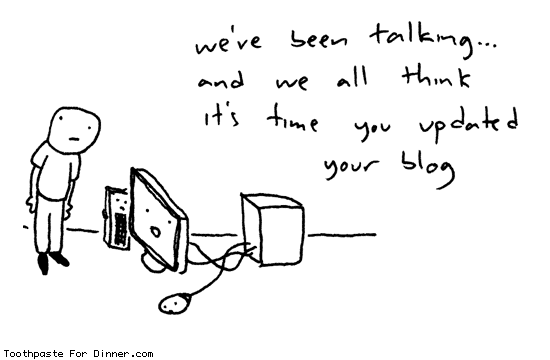
Comic by Drew, (2007, Mar 20). computer demands a blog in toothpaste for dinner. Retrieved Aug 28, 2008, from http://www.toothpastefordinner.com/032007/the-computer-demands-a-blog.gif
Subscribe to:
Posts (Atom)